Claude Code Agent Teams: How to Build Complex Apps with AI Squads
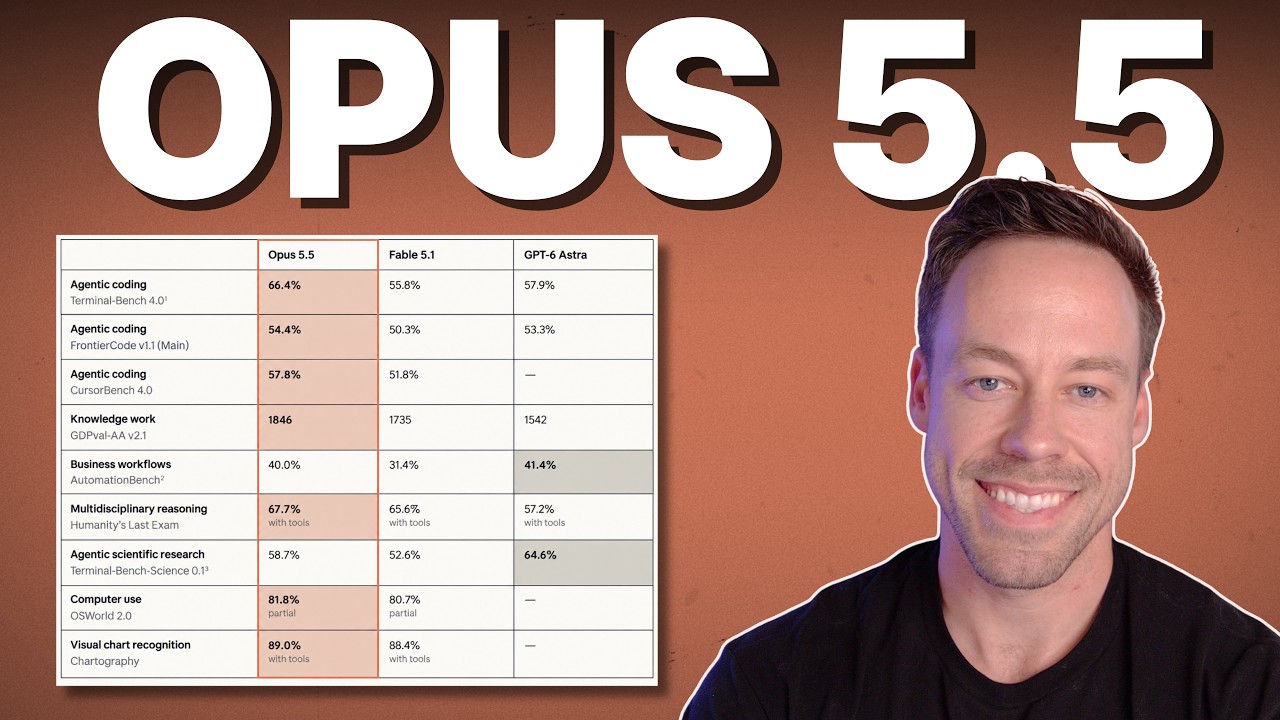
While everyone has been freaking out about Claude Opus 4.5 benchmarks, Anthropic quietly released a new experimental feature inside of Claude Code: Agent Teams.
After spending the last few days testing it, I’m convinced they’ve laid the foundation for something serious here.
Agent Teams are a multi-agent architecture where specialized AI instances (UI, Backend, QA) work under a "Team Lead" and, crucially, communicate with each other to solve complex problems.
Unlike standard sub-agents that work in silos, these agents coordinate. They act like a real dev shop. This allows you to build complex projects with much higher confidence that they will actually compile and run.
Here works, how to enable it (because it is hidden), and the results from my head-to-head tests.
What Makes Agent Teams Different from Sub-Agents?
Most people using Claude Code right now are just in a 1-on-1 relationship with the AI. Sometimes you spin up sub-agents, but usually, that process looks like this:
- You assign a task.
- Claude dispatches a sub-agent (like a freelancer).
- The sub-agent does the task in a vacuum and reports back.
The UI agent never talks to the Database agent. They are mercenaries acting in silos.
Here is where it gets interesting with Agent Teams:
When you spin up an Agent Team, Claude creates a Team Lead—essentially a middle manager. This lead coordinates the specialists. But the real power is that the sub-agents can talk to one another directly.
- The Database agent can tell the Backend agent how to structure the schema.
- The Backend agent can tell the UI agent what endpoints are available.
This cross-layer coordination reduces hallucinations and integration errors. It’s the difference between hiring five random freelancers on Upwork versus hiring a cohesive agency team.
How Do You Enable Agent Teams?
This feature is disabled by default. It’s experimental, so you have to go under the hood to turn it on.
You have two options:
- The Manual Way: Go into your
settings.jsonfile and change theagent_teamsenvironment variable to1. - The Fast Way: Just paste the Anthropic documentation link into Claude Code and tell it: "Enable agent teams for me."
Once that is done, restart your Claude Code session.
The Trigger Phrase
Even after enabling it, Claude won't use teams automatically. You must explicitly prompt it using specific verbiage.
You need to say: "Create an agent team to..."
If you don't use that phrase, it defaults to standard behavior. Here is a prompt structure I’ve found successful:
"I'm designing a CLI tool. Create an agent team to explore this from different angles. One teammate on UX, one on tech architecture, one playing devil's advocate."
If you don't know who should be on the team, just ask it to "Create an agent team and plan the roles for this task."
Comparison: Agent Teams vs. Standard Claude Code
I wanted to see if this actually produced better code or if it was just burning tokens. I ran two tests side-by-side: one with Agent Teams, one with standard Claude Code.
Test 1: The AI Proposal Generator
The Task: Create an app where you input client info and it generates a polished business proposal.
The Result:
- Functionality: Virtually identical. Both apps worked.
- UI/Polish: The Agent Teams version looked slightly better.
- ROI Projections: Surprisingly, the standard Claude version actually wrote better copy for the financial projections.
Verdict: for simple apps, Agent Teams is overkill.
Test 2: The Complex Agency Dashboard
This is where I saw the real difference. I asked it to one-shot an internal dashboard for an AI agency. This wasn't just a landing page; it needed six distinct modules:
- Main Dashboard
- Client Page (Status/Retainers)
- Projects (Kanban Board)
- Time Entries
- Invoices
- Settings
The Result: The Agent Team spun up six sub-agents intended to execute individual parts of the app. It took about 23 minutes and cost roughly 330,000 tokens.
However, it one-shotted the entire application seamlessly.
- Cross-Module Logic: The time entries correctly linked to the specific projects in the Kanban board (evidence of agents talking to each other).
- UI Polish: The Agent Teams version was significantly cleaner than the standard version.
While the standard Opus 4.6 model is smart enough to do a decent job on its own, the Agent Teams version felt like a more robust product out of the box.
How to Manage Your Team
One feature I really like is that the team isn't a black box. You can see exactly what they are doing in the terminal.
- View Activity: Press
Shift + Up Arrowto see which agent is handling which task. - Direct Interaction: You can message specific agents. If you want to correct the designer without bothering the backend dev, you can type
@ux_researcher make sure there is a settings page.
When Should You Use Agent Teams?
Look, this feature burns tokens. A 30-minute session costing 300k+ tokens isn't cheap if you’re doing it all day for simple scripts.
According to Anthropic (and verified by my testing), here is where you should use Agent Teams:
- Research and Review: When you need comprehensive analysis from multiple angles.
- New Complex Modules: Building things that require frontend, backend, and database logic to sync perfectly.
- Debugging Competing Hypotheses: Letting agents argue over why code is broken.
- Cross-Layer Coordination: When the API layer needs to be perfectly in sync with the frontend state management.
FAQ
Does Agent Teams cost more money?
Yes. Because the agents communicate with each other and the team lead, the context window fills up much faster. My dashboard test hit 330,000 tokens for a single project setup.
Can I customize the agents?
Yes. You can define specific roles in your prompt (e.g., "Create a team with a Security Specialist and a Python Architect"), or let Claude define them for you based on the task.
Is this available on the web interface?
No. Currently, this is strictly a feature inside Claude Code (the terminal/CLI tool). You need to be running Claude Code locally to access these environment variables.
The Bottom Line
The short answer is: Agent Teams effectively raises the floor for complex applications.
If you are building a simple script or a landing page, stick to standard Claude Code—it’s faster and cheaper. But if you are trying to one-shot a SaaS MVP with database dependencies and state management, spin up a team. The coordination between agents fixes those annoying integration bugs that usually plague AI-generated code.
It’s still experimental, but seeing agents coordinate this well is a massive step forward.
If you want to go deeper into building actual businesses with this tech, join the free Chase AI community for templates, prompts, and live breakdowns.