ChatGPT Dots: Early Access Review and How It Works
I got early access to OpenAI's new Dots — an always-on cloud AI agent powered by GPT-6 Astra. Here's how it works, how it compares to Muse and Grokbot, and who actually needs it.
On this page
OpenAI's Dots is an always-on AI agent that lives in the cloud, runs on GPT-6 Astra, and acts as a proactive personal assistant whether your machine is on or off. I got early access, ran it for hours across real workflows, and put it head-to-head against the other always-on assistants — Muse and Grokbot. Here's exactly how it works, where it wins, and whether you actually need it.
Short version: Dots is the most powerful of the three because of the model under the hood, but it's also the most expensive and the most aimed at people who already live in tools like Codex and Claude Code. If that's you, there are a few specific plays that make it worth the money. If it's not, it's a nice-to-have.
What Is ChatGPT Dots?
Dots is OpenAI's always-on cloud agent. The pitch is simple: you get a personal AI assistant running in the cloud that doesn't depend on your local machine being awake. You give it tasks, it does them, and it keeps running whether your laptop is open or shut.
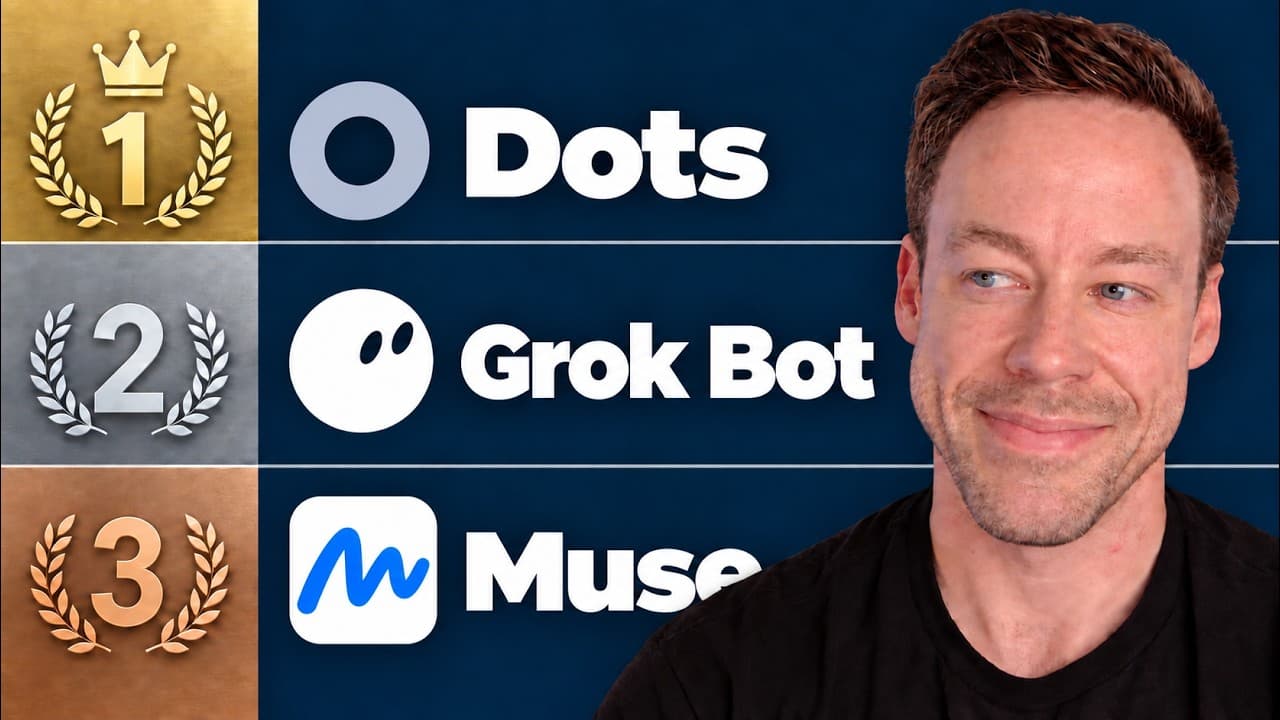
It isn't alone in this category. Dots, Grokbot, and Muse are all selling you roughly the same thing — an always-on agent in the cloud with its own computer, the ability to connect to outside apps, and availability across desktop and phone. The differences come down to three things: the model powering it, the cost, and your use case.
Each one gets its own cloud computer, each connects to plugins and apps, and each is roughly available in the same places. So the real question isn't "which is best" in the abstract — it's "which fits what you're actually trying to do."
How Does Dots Compare to Muse and Grokbot?
The clearest way to separate the three is by the model under the hood. That's where the gap is biggest.
- Dots runs on GPT-6 Astra — the most powerful of the three by a wide margin.
- Grokbot runs on Grok 4.7.
- Muse runs on Spark 1.3.
Astra crushes the other two on raw power. So the pick comes down to who you are:
- If you're an AI developer who wants an assistant that can orchestrate sub-agents and build things on its own computer, Astra — and therefore Dots — is for you.
- If you just want to check emails and ask what the weather is, Muse is probably enough.
- Grokbot sits in the middle — a reasonable pick if you're already a Cursor or Grok person.
Then there's cost, where the three split hard:
- Dots is pro-users-only right now, meaning the $100, $200, or the new $500/month plan. You pay to play.
- Grokbot runs on $20/month.
- Muse has a free tier.
There's a catch worth flagging on the OpenAI plans: the $200/month tier is no longer 20x usage — it's now 10x, essentially half the usage it used to carry. If you were on that plan for the headroom, that math changed.
Does Dots Burn Through Your Usage?
This is the obvious worry with an always-on, proactive agent: if it's running constantly and even messaging you unprompted, are you ripping through your usage?
Right now, no — and that's deliberate. OpenAI wants to push Dots, so Astra usage through Dots is effectively unlimited for the next month or so. Dots doesn't pull from your usage quota at all during this window. You can go nuts with it, hammer Astra, and not lose a single percentage point of your plan usage.
What happens when that promo window closes is anyone's guess. By then OpenAI may have shipped a GPT-6 Astra 6.1 or 6.5, or rolled in the 6.1 Sol model that's supposed to be hyper-efficient. For now, the cost is heavy up front — you have to be a pro user — but the ongoing usage is free while the promo lasts.
One more limitation to know before you commit: Dots is not available in the EU as of now. If that's you, this decision is made for you.
How Do You Set Up Dots?
Setup is fast and feels exactly like adding a profile inside ChatGPT or Codex. Here's the flow:
- Start a new chat from the top left and create your dot. Hit continue.
- Connect your plugins. It asks if you want to wire it to outside apps up front. You can do it now or after setup — it's the same authentication-and-permission flow as any ChatGPT or Codex plugin.
- Choose its computer access. Dots has its own virtual computer — that's the always-on part — and you can also grant it access to your actual machine. I suggest giving it both.
- Name and customize it. You get a UI to rename it (I called mine Winston), change colors and characters, even turn it into one of your pets.
Once it's set up, the top left shows your dot's profile plus its computers. Open the profile and you'll see the two machines it can use: its own virtual computer and your personal one.
What Can Dots Actually Do?
The main interface will look instantly familiar — it's basically a Codex thread. You send messages, dictate, attach things, and connect plugins. It has access to everything Codex does. But three capabilities are where Dots earns its keep.
It orchestrates multiple agents
This is the most powerful function. Dots can act as an orchestrator — controlling multiple threads and projects from one place. On a call, I told my dot to open a new thread in Codex inside my "dots" project and build a website comparing Dots use cases against Muse and Grokbot. It spun up the thread, verified the product and competitor details, and walked the build along — all from a single voice command.
Here's the key detail on how that works under the hood: the thread ran on GPT-6.1 Sol high, and everything my dot sent was powered by Astra. So you've essentially got Astra talking to Sol to get the work done. You orchestrate Astra; Astra drives Sol.
The orchestration unlock is less of a deal when you're sitting at your desk — flipping between threads yourself isn't hard. It's a game-changer when you're remote and juggling a bunch of parallel projects from your phone, with one agent running the show for you.
It has its own computer — and can use yours
Because Dots carries its own always-on cloud computer, you unlock work that normally dies when your machine goes to sleep. Not everyone has a Mac Mini humming 24/7; Dots solves that simply.
It can also drive your personal computer when a task needs a real login. I asked it to pull my YouTube Studio analytics and analyze my last 10 long-form videos — which ones worked and why. Since there's no clean API for that, it opened YouTube on the personal computer and hit the login wall. That's the moment you take over: it prompted me to sign in and clear two-factor, I handled the verification, then passed control back. (You can paste the 2FA code into the chat instead if you'd rather.) It finished the analysis and handed me a report on what's working and what to do next.
It's genuinely proactive
This is the piece that separates Dots from just opening a remote Codex thread in voice mode. Dots reaches into your Drive, Slack, and Gmail and messages you unprompted when something matters. Give it your work Gmail and it'll ping you every couple hours when an important email lands — a client says something that needs attention, and Dots flags it without you ever asking.
And the proactivity is tunable. If it's firing too many messages at you, it'll actually ask, "Do you want me to reduce how much I'm messaging you?" You can dial it up to a hyperactive assistant that keeps a running scratchpad of projects and to-dos, or dial it down. You can't really get that out of the box with a remote Codex thread — you'd have to push hard to fake it. With Dots it's default behavior.
What Are the Rough Edges?
It's early access, so it's not flawless. Two things stood out.
First, when my dot built that comparison website, it didn't drop the task inside the actual project folder — it landed as its own task in recents, which is annoying if you're organizing by project. If you're working entirely through the Dots interface it's not a big deal, but it's worth knowing.
Second, it wasn't great at closing the loop. The site was basically done and running locally, but Winston never clearly told me "it's finished, go verify it" — I had to dig into the thread to confirm. The output itself was fine, if bland and very GPT-6-coded, with five use cases (workflow feedback, a marketing launch, research analysis, sales, and content production) compared across Dots, Muse, and Grokbot. The website wasn't the point — the point was that I delegated the whole thing by voice and it executed. I just wish it had been more on top of reporting back.
Who Should Actually Use Dots?
Run yourself through three questions:
- Do you need to control multiple agent instances at once?
- Do you need an assistant with its own always-on computer?
- Do you want the raw power of GPT-6 Astra specifically?
If the answer is yes, Dots is great. If you don't work remotely and you don't need a supercharged orchestrator, it's a nice-to-have, not a must.
And here's the honest framing: this review comes from someone who's Codex-proficient and knows Claude Code. The mass-market sell for Dots is "it's on your phone, it's simple, it's powerful, it just works." If you've been using Codex for a while, that's not a sell — you already know how to use these tools. So the real question for power users is the margin plays: the remote orchestration, the always-on computer, the deep proactivity. Those are the things worth thinking hard about.
My call: it's a cool addition and I'll be using it, mostly in remote situations and for Codex tasks when I'm away from my desk. At my desktop, I probably won't reach for it much outside niche cases. That's the right way to think about it — not "is it impressive" (it is) but "does it fit how you actually work."
Frequently Asked Questions
What model does ChatGPT Dots use?
Dots runs on GPT-6 Astra, OpenAI's most powerful model in this lineup. When Dots orchestrates a build in Codex, Astra drives a secondary model — in testing, that was GPT-6.1 Sol high — so you effectively get Astra directing Sol to execute the actual work.
How much does ChatGPT Dots cost?
Dots is available to pro users only right now, which means the $100, $200, or new $500/month OpenAI plans. Note that the $200 plan is now 10x usage instead of 20x. By comparison, Grokbot runs on $20/month and Muse has a free tier.
Does Dots count against my usage limits?
Not right now. While OpenAI is pushing Dots, Astra usage through Dots is effectively unlimited and doesn't pull from your plan's usage quota for roughly the next month. That promo window is temporary, and it's unclear what the usage math looks like once it ends.
Is ChatGPT Dots available in the EU?
No. As of this writing, Dots is not available in the EU. If you're in Europe, Grokbot or Muse are the realistic always-on options for now.
Dots vs Muse vs Grokbot — which should I pick?
Pick Dots if you're an AI developer who wants orchestration, an always-on computer, and GPT-6 Astra's power. Pick Muse if you mainly want simple tasks like email and weather on a free tier. Pick Grokbot if you want a middle-ground option on a cheaper $20/month plan, especially if you already like Grok or Cursor.
If you want to go deeper into always-on AI agents and orchestration, join the free Chase AI community for templates, prompts, and live breakdowns. And if you're serious about building with AI, check out the paid community, Chase AI+, for hands-on guidance on how to make money with AI.
Topicschatgpt-dotsopenaiai-agentsgpt-6-astracodexai-assistants