Claude Haiku 5.5: The Cheap, Fast Model Anthropic Was Missing
Claude Haiku 5.5 is roughly 75% cheaper than Haiku 4.5 and finally gives Anthropic a small, fast model that competes with OpenAI's cheap tier. Here's what the benchmarks, effort levels, and pricing actually mean for you.
On this page
Claude Haiku 5.5 is Anthropic's new small model, and the headline isn't speed or smarts — it's cost. It runs on average 75% cheaper than Haiku 4.5, which finally gives Anthropic a small, fast, capable model for the kind of repetitive work their big models were always overkill for. I've spent a lot of time routing tasks between models to keep costs sane, and this is the release that changes that math. Here's exactly what it brings and where it fits.
What Is Claude Haiku 5.5?
Haiku 5.5 is the smallest and newest model in Anthropic's lineup, released alongside a round of price cuts across the board. Think of it as the model you point at high-volume, repetitive tasks — the stuff where you don't need Opus-level reasoning, you just need something fast and cheap that gets it done.
Here's the thing: this is a space Anthropic hasn't really played in for a long time. They've had super powerful big models — Sonnet, Opus — but nothing small and dialed-in for grunt work. Before today, if you wanted a genuinely cheap, fast model, you were basically living over in OpenAI land with Luna 6 and Tera. Anthropic had nothing to answer that with. Haiku 5.5 fills the gap.
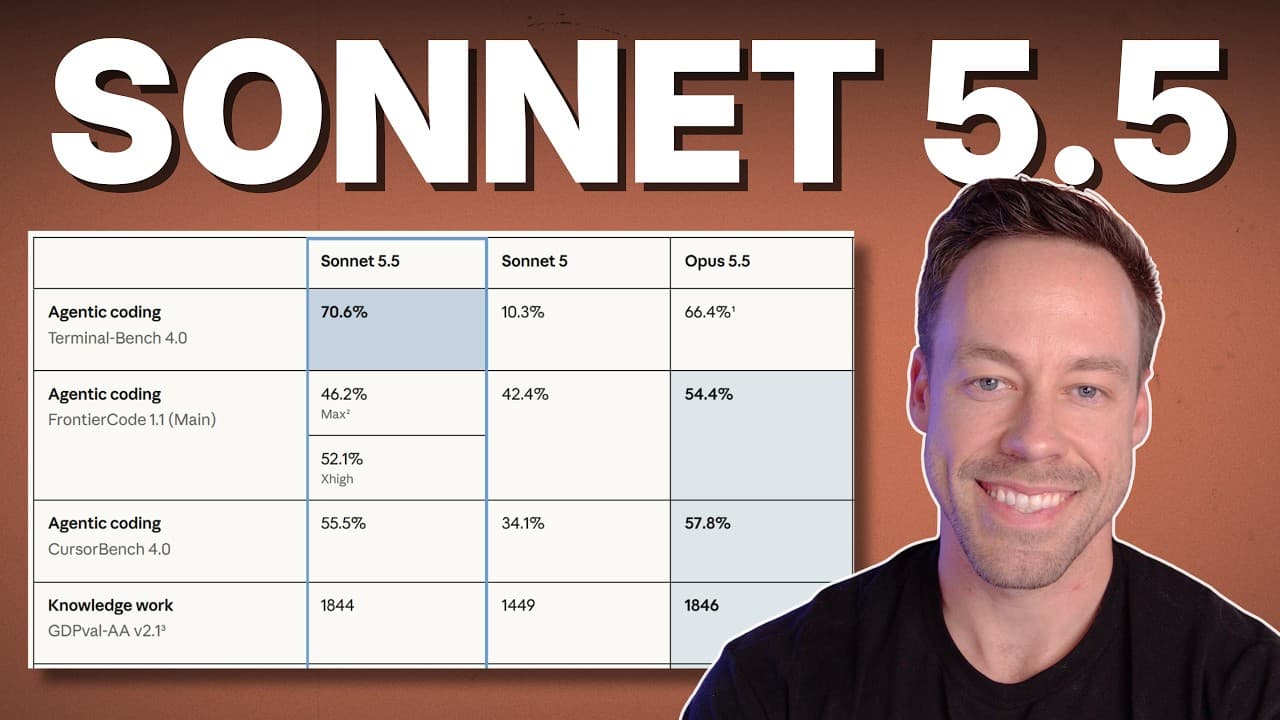
And it's not just Haiku getting cheaper. Anthropic also cut Claude Sonnet 5.5's cache rates, which makes Sonnet run about 20% cheaper on most agentic work. That matters more than it sounds. Anything that drives the price of both Sonnet and Haiku down lets Anthropic compete in a price-sensitive market they'd ceded to OpenAI.
How Much Cheaper Is Haiku 5.5?
Cost is the whole story here, so let's put numbers on it. On average, Haiku 5.5 is about 75% cheaper than Haiku 4.5 — and Haiku 4.5 was already the budget option.
A few concrete reference points from the pricing:
- Cache reads land around 1 cent, scaling up toward 5 cents once you're over the 100k-token mark. Haiku 4.5 sat at roughly 10 cents — and so does Sonnet 5.5.
- Cache writes are dramatically cheaper than Sonnet 5.5, which sits up around $2.50 for the same work.
- Input tokens run roughly half of what Haiku 4.5 charged once you're above 100k tokens, and a fraction of Sonnet's rate.
- Output tokens are the big gap — a small fraction of what Sonnet charges per equivalent batch.
The pattern is consistent: Haiku 5.5 is roughly half the price of Haiku 4.5 and a quarter of the price of Sonnet 5.5 in the ranges most people actually operate in. If you're usage-conscious or paying API bills, that's the line that matters.
How Does Haiku 5.5 Perform on Benchmarks?
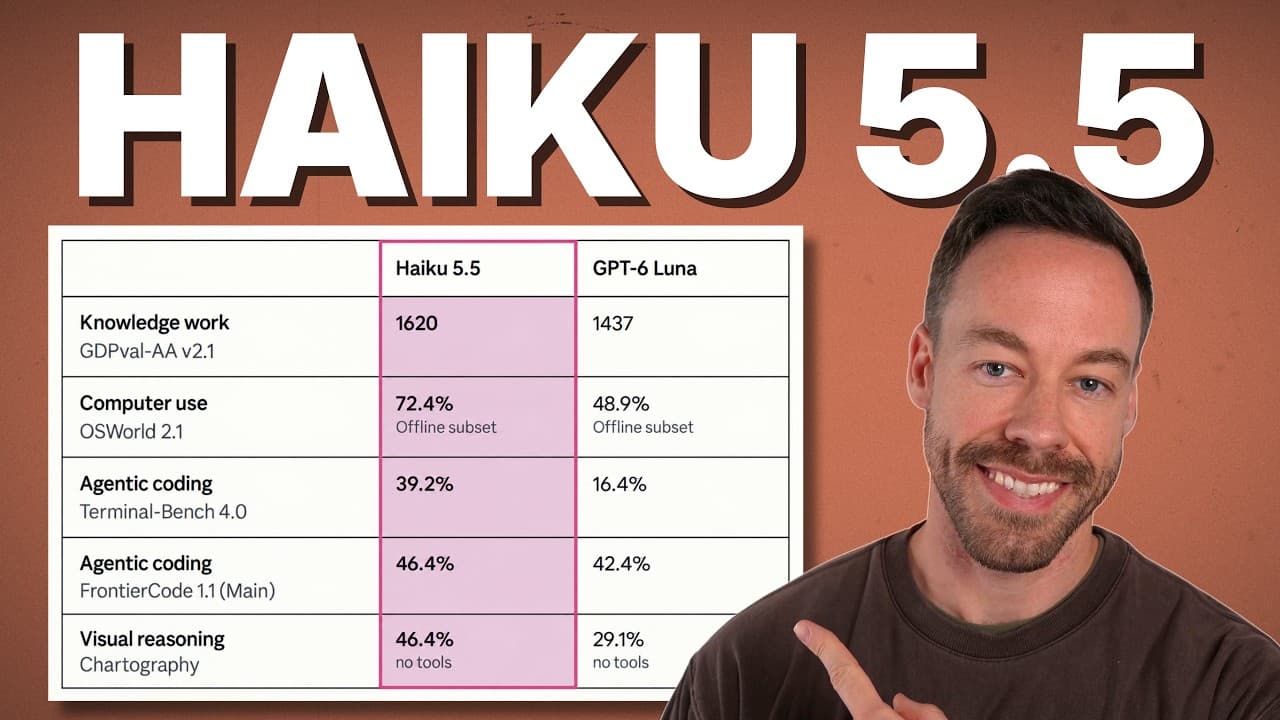
Cheap only counts if the model can actually do the work. The benchmark comparison pits Haiku 5.5 against Haiku 4.5, OpenAI's GPT-6 Luna, and Sonnet 5.5. The matchup to watch is Haiku 5.5 versus GPT-6 Luna — that's its real cousin, the small cheap model from the other camp.
Take these with the usual grain of salt, but across the board Haiku 5.5 does well against Luna:
- Knowledge work: 1620 vs 1437
- Computer use: 72.4% — genuinely impressive for a model this small
- Agentic coding: 39.2% vs 16.4%
- Frontier code: 46.4 vs 42.4
- Visual reasoning: strong showing
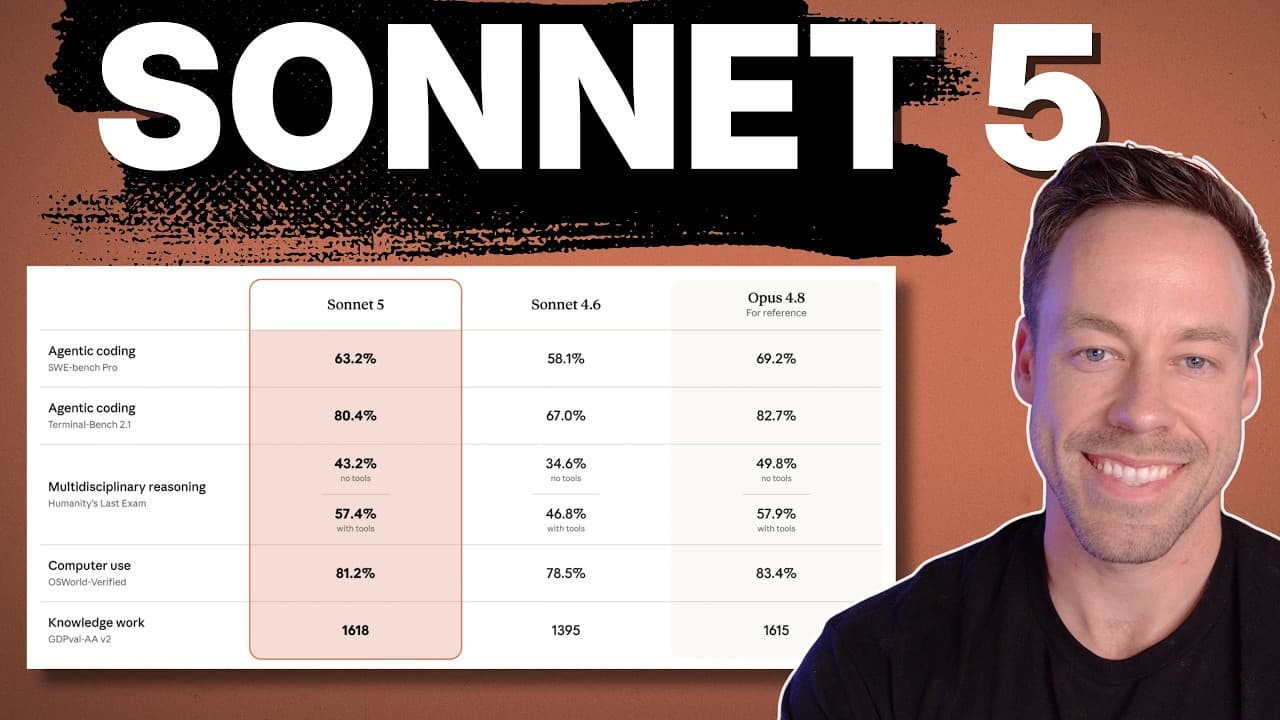
For context on how far this jumped: Haiku 4.5 scored a flat 0% on Terminal Bench 4.0. Haiku 5.5 is not doing that.
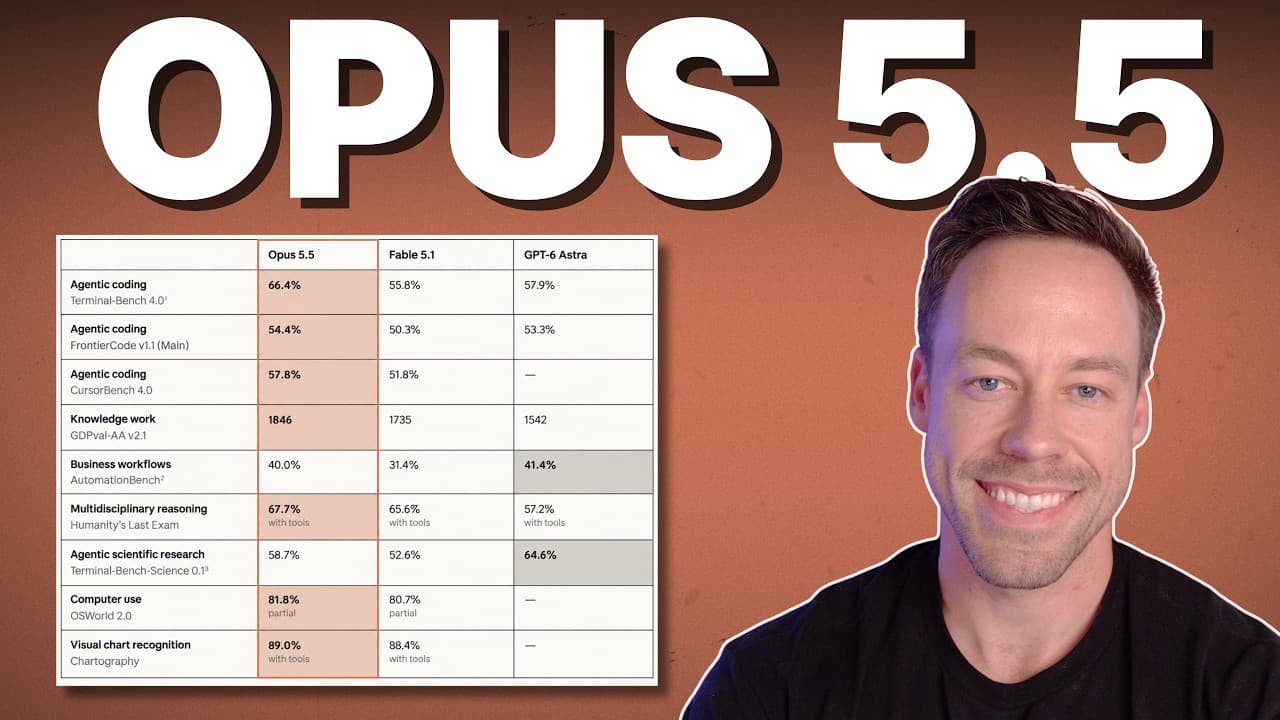
Yes, every one of these numbers sits a step below Sonnet 5.5. That's fine — and honestly, most of us don't care. The point of Haiku was never to beat Sonnet. It's that we all have piles of tasks where we just want a fast, cheap model to stand there and take it. Now we've got one that's actually capable.
What Are Haiku 5.5's Effort Levels?
This is one of the most important upgrades and it's easy to miss. Haiku 4.5 had no effort setting — you got what you got. Haiku 5.5 works like the rest of the Claude lineup: effort levels from low all the way up to max.
That control changes how you use it, because you can dial cost against performance per task. A few data points that show why that's powerful:
- Computer use at max: 72.4% for about 61 cents — essentially the same score as Sonnet 5.5 on high, at roughly half the cost.
- Computer use at medium: beats GPT-6 Luna running at max, and does it cheaper (around 13 cents vs Luna's 20 cents).
- Max effort overall: around 87 cents, and it delivers roughly the performance Sonnet 5.5 gets on high. Put simply, Haiku at max ≈ Sonnet 5.5 at high.
- Coding at max: about $2.64 for a 40% score — again, basically Sonnet on high.
- Humanity's Last Exam: Haiku at max roughly matches Sonnet 5.5 at extra-high.
Here's a detail worth calling out: on computer use and knowledge work, performance climbs linearly as you step up through the effort levels. A lot of models fall off between high and max — you pay more and get little back. Haiku 5.5 keeps paying out as you push it.
So should you run it at max all the time? Probably not. For most tasks you point Haiku at, something like high is going to be plenty. Max is there when a specific job needs to punch up to Sonnet-level output on a Haiku budget.
What About Safety and Safeguards?
If you do security or research work, the guardrails matter. Haiku 5.5 will still refuse requests it deems harmful — that hasn't gone away.
The nuance: it's somewhat less restrictive on cybersecurity questions than Sonnet 5.5 and Opus 5, though the effect is still there. On biology, the safeguards are straight-up identical to Sonnet 5, Sonnet 5.5, and Opus 5. So don't expect the small model to be a loophole — if a prompt trips the safety logic, it gets restricted the same as the big models.
Who Should Actually Use Haiku 5.5?
Two groups get the most out of this release, and I fall into both.
If you're usage-conscious on a Claude plan: this is the model you'll reach for constantly without sweating your limits. It's cheap enough that you'll basically never get close to blowing through your usage cap on the kind of repetitive work Haiku is built for.
If you're paying API costs: you finally have an Anthropic model that won't break the bank. For high-volume pipelines — classification, extraction, routing, summarization, agentic loops that fire thousands of times — the economics now actually work on Anthropic infrastructure instead of forcing you over to OpenAI's cheap tier.
The move is to stop defaulting every call to Sonnet or Opus. Route the heavy reasoning to the big models, and let Haiku 5.5 handle the volume at a fraction of the cost.
Haiku 5.5 is available everywhere right now. If you've been holding off on building something because the per-call cost didn't pencil out, this is the release that might flip it.
Frequently Asked Questions
How much cheaper is Claude Haiku 5.5 than Haiku 4.5?
On average, Haiku 5.5 runs about 75% cheaper than Haiku 4.5. In the token ranges most people operate in, it works out to roughly half the price of Haiku 4.5 and about a quarter of the price of Sonnet 5.5.
Is Haiku 5.5 as good as Sonnet 5.5?
Not across the board — every benchmark for Haiku 5.5 sits a step below Sonnet 5.5. But when you run Haiku 5.5 at max effort, it roughly matches Sonnet 5.5 at high on tasks like computer use, coding, and Humanity's Last Exam, at a fraction of the cost.
Does Haiku 5.5 have effort levels?
Yes. Unlike Haiku 4.5, which had no effort setting, Haiku 5.5 supports effort levels from low to max — just like the rest of the Claude lineup. For most tasks, high is plenty; max is there when you need Sonnet-level output on a Haiku budget.
How does Haiku 5.5 compare to GPT-6 Luna?
Haiku 5.5 is Anthropic's direct answer to OpenAI's small, cheap model. On the benchmarks, it outperforms GPT-6 Luna on knowledge work, agentic coding, and frontier code. In some cases Haiku at medium effort beats Luna at max — and costs less doing it.
Is Haiku 5.5 available now?
Yes. Haiku 5.5 is available everywhere right now, across the Claude apps and the API.
If you want to go deeper into picking and routing Claude models to cut your costs, join the free Chase AI community for templates, prompts, and live breakdowns. And if you're serious about building with AI, check out the paid community, Chase AI+, for hands-on guidance on how to make money with AI.
Topicsclaudeanthropicclaude-haikuai-modelsllm-pricingai-coding